
Press - Page 204
2022 Lexus iS300 Owners Manual
Table of Contents
204
4-5. Using the driving support systems
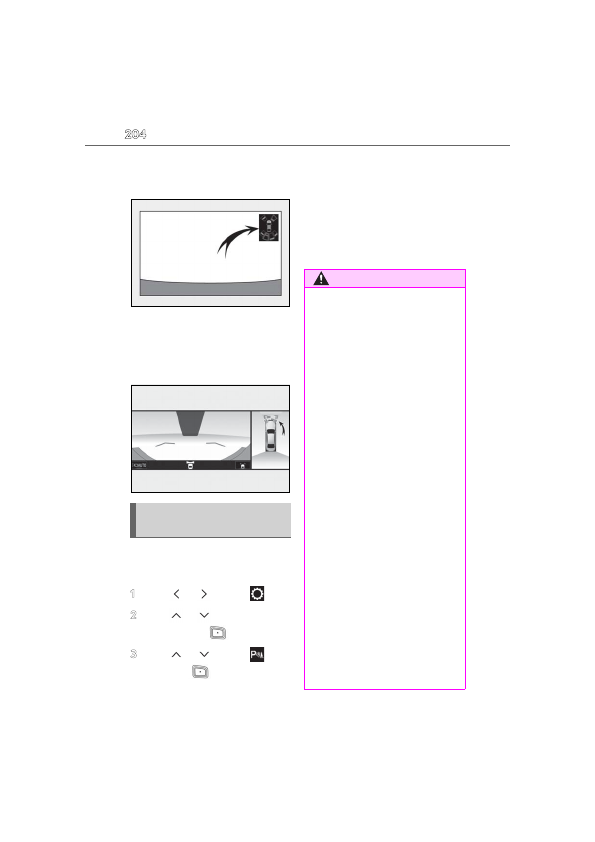
ing assist monitor is displayed.
A simplified image is displayed on the
Center Display when an object is detected.
Center Display (vehicles with a Pan-
oramic view monitor)
When an object is detected, a graphic will
be displayed on the panoramic view moni-
tor.
Use the meter control switches to
enable/disable the Lexus parking
assist-sensor. (
1
Press
or
to select
.
2
Press
or
to select “PKSA”
and then press
.
3
Press
or
to select
and
then press
.
When the intuitive parking assist func-
tion is disabled, the intuitive parking
assist OFF indicator (
nates on the multi-information display .
When the intuitive parking assist func-
tion is turned on or off, operation of the
intuitive parking assist function contin-
ues in the same condition the next time
the engine is started.
Turning intuitive parking assist
on/off
WARNING
■
Cautions regarding the use of the sys-
tem
There is a limit to the degree of recogni-
tion accuracy and control performance
that this system can provide, do not
overly rely on this system. The driver is
always responsible for paying attention
to the vehicle’ surroundings and driving
safely.
■
To ensure the system can operate
properly
Observe the following precautions.
Failing to do so may result in the vehicle
being unable to be driven safely and pos-
sibly cause an accident.
●
Do not damage the sensors, and
always keep them clean.
●
Do not attach a sticker or install an
electronic component, such as a back-
lit license plate (especially fluorescent
type), fog lights, fender pole or wire-
less antenna near a radar sensor.
●
Do not subject the surrounding area of
the sensor to a strong impact. If sub-
jected to an impact, have the vehicle
inspected by your Lexus dealer. If the
front or rear bumper needs to be
emoved/installed or replaced, contact
your Lexus dealer.
●
Do not modify, disassemble or paint
the sensors.
●
Do not attach a license plate cover.
●
Keep your tires properly inflated.
Detailed Information for 2022 Lexus iS300 Owners Manual
Lists of information found in 2022 Lexus iS300 Owners Manual - Page 204
- 5. Using the driving support systems ing assist monitor is displayed.
Related Documents for 2022 Lexus iS300 Owners Manual
 All trademarks are property of their respective owners. Tightrope
Interactive
All trademarks are property of their respective owners. Tightrope
Interactive