
Distance - Page 193
2022 Lexus iS300 Owners Manual
Table of Contents
193
4-5. Using the driving support systems
4
Driving
An example of this would be if another
driver cuts in front of you while you are
following a vehicle. Depress the brake
pedal to ensure an appropriate vehi-
cle-to-vehicle distance.
■
Warnings may not occur when
In the following instances, warnings
may not occur even when the vehi-
cle-to-vehicle distance is small.
When the speed of the preceding
vehicle matches or exceeds your
vehicle speed
When the preceding vehicle is trav-
eling at an extremely slow speed
Immediately after the cruise control
speed was set
When depressing the accelerator
pedal
While driving in vehicle-to-vehicle dis-
tance control mode, this function will
reduce the vehicle speed, if it is deter-
mined to be necessary.
■
Function operation
When the steering wheel begins to be
turned, the vehicle speed will begin
being reduced. When the steering
wheel is returned to the center posi-
tion, the vehicle speed reduction will
end.
Depending on the situation, the vehicle
speed will then return to the vehi-
cle-to-vehicle distance control mode
set speed.
In situations where vehicle-to-vehicle
distance control needs to operate,
such as when a preceding vehicle cuts
in front of your vehicle, the curve speed
reduction function will be canceled.
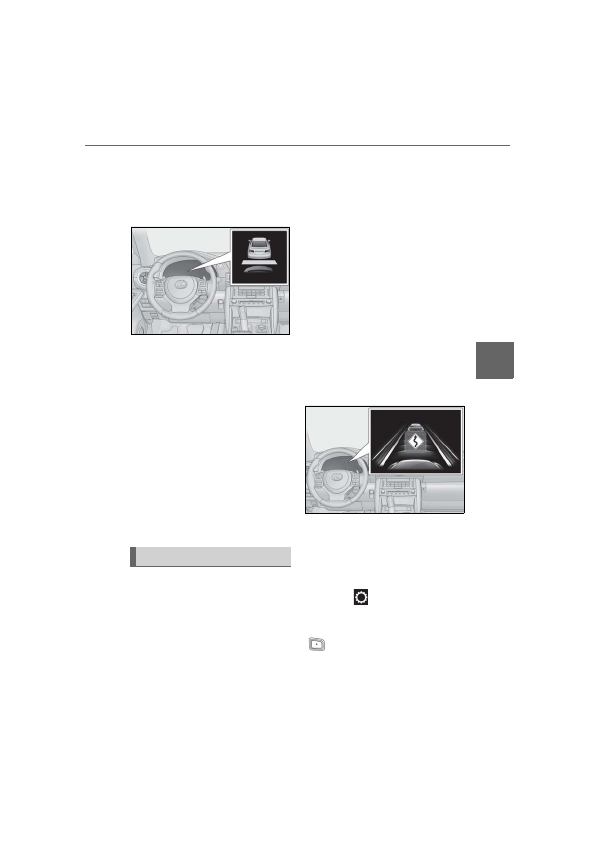
■
Operation display
Displayed when the vehicle speed is
being reduced.
When the vehicle speed reduction ends,
the display will disappear.
■
Changing the settings of the curve
speed reduction function
The curve speed reduction function
can be enabled/disabled and the vehi-
cle speed reduction strength can be
adjusted on
(
P.75) of the
multi-information display.
The setting will change each time the
meter control switch is pressed.
Curve speed reduction function
Detailed Information for 2022 Lexus iS300 Owners Manual
Lists of information found in 2022 Lexus iS300 Owners Manual - Page 193
- 5. Using the driving support systems 4 Driving An example of this would be if another driver cuts in front of you while you are following a vehicle.
Related Documents for 2022 Lexus iS300 Owners Manual
 All trademarks are property of their respective owners. Tightrope
Interactive
All trademarks are property of their respective owners. Tightrope
Interactive