
Securing the printer; Locating the security slot; Erasing printer memory- Page 32
Lexmark C6160 Owners Manual
Securing the printer
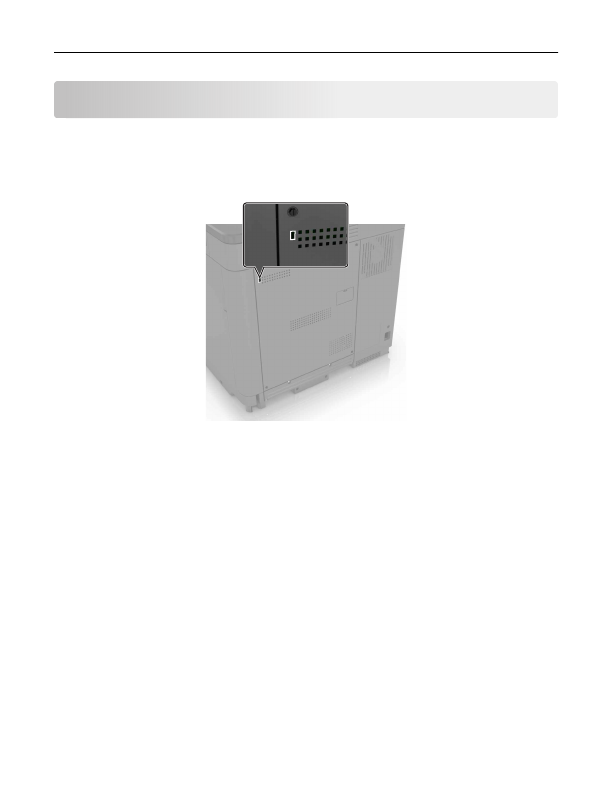
Locating the security slot
The printer is equipped with a security lock feature. Attach a security lock compatible with most laptop
computers in the location shown to secure the printer in place.
Erasing printer memory
To erase volatile memory or buffered data in your printer, turn off the printer.
To erase non
‑
volatile memory or individual settings, device and network settings, security settings, and
embedded solutions, do the following:
1
From the home screen, touch
Settings
>
Device
>
Maintenance
>
Out of Service Erase
.
2
Select the
Sanitize all information on nonvolatile memory
check box, and then touch
ERASE
.
3
Follow the instructions on the display.
Erasing printer hard disk memory
1
From the home screen, touch
Settings
>
Device
>
Maintenance
>
Out of Service Erase
.
2
Select the
Sanitize all information on hard disk
check box, and then touch
ERASE
.
3
Follow the instructions on the display.
Note:
This process can take from several minutes to more than an hour, making the printer unavailable
for other tasks.
Securing the printer
32
Detailed Information for Lexmark C6160 Owners Manual
Related Documents for Lexmark C6160 Owners Manual
 All trademarks are property of their respective owners. Tightrope
Interactive
All trademarks are property of their respective owners. Tightrope
Interactive