
Installing optional trays; CAUTION—POTENTIAL INJURY: ; CAUTION—SHOCK HAZARD: - Page 129
Lexmark C6160 Owners Manual
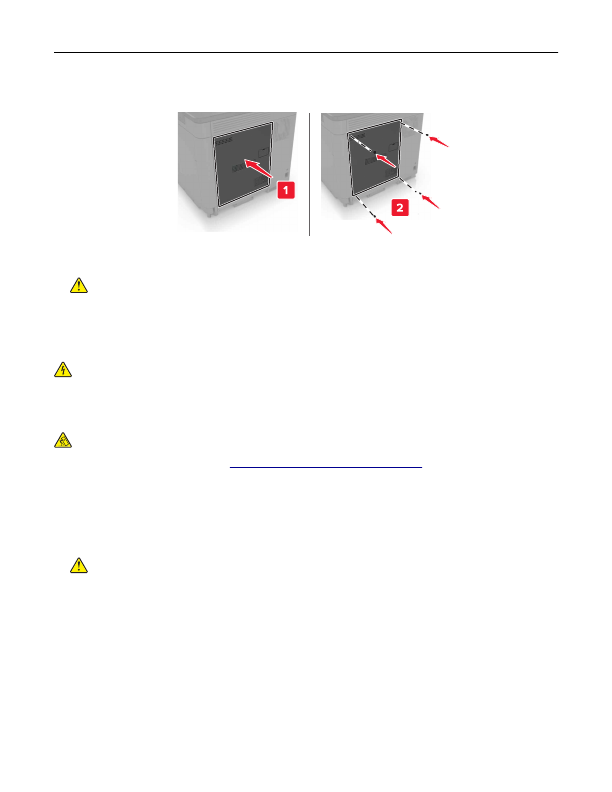
5
Reattach the access cover.
6
Connect the power cord to the electrical outlet, and then turn on the printer.
CAUTION—POTENTIAL INJURY:
To avoid the risk of fire or electrical shock, connect the power cord
to an appropriately rated and properly grounded electrical outlet that is near the product and easily
accessible.
Installing optional trays
CAUTION—SHOCK HAZARD:
To avoid the risk of electrical shock, if you are accessing the controller
board or installing optional hardware or memory devices sometime after setting up the printer, then turn
the printer off, and unplug the power cord from the electrical outlet before continuing. If you have any
other devices attached to the printer, then turn them off as well, and unplug any cables going into the
printer.
CAUTION—TIPPING HAZARD:
Installing one or more options on your printer or MFP may require a
caster base, furniture, or other feature to prevent instability causing possible injury. For more information
on supported configurations, see
www.lexmark.com/multifunctionprinters
.
1
Turn off the printer.
2
Unplug the power cord from the electrical outlet, and then from the printer.
3
Unpack the optional tray, and then remove all packing material.
4
Lift the printer using the side and rear handles.
CAUTION—POTENTIAL INJURY:
If the printer weight is greater than 18 kg (40 lb), then it requires
two or more trained personnel to lift it safely.
Upgrading and migrating
129
Detailed Information for Lexmark C6160 Owners Manual
Related Documents for Lexmark C6160 Owners Manual
 All trademarks are property of their respective owners. Tightrope
Interactive
All trademarks are property of their respective owners. Tightrope
Interactive