
Software; Installing the printer software- Page 132
Lexmark C6160 Owners Manual
5
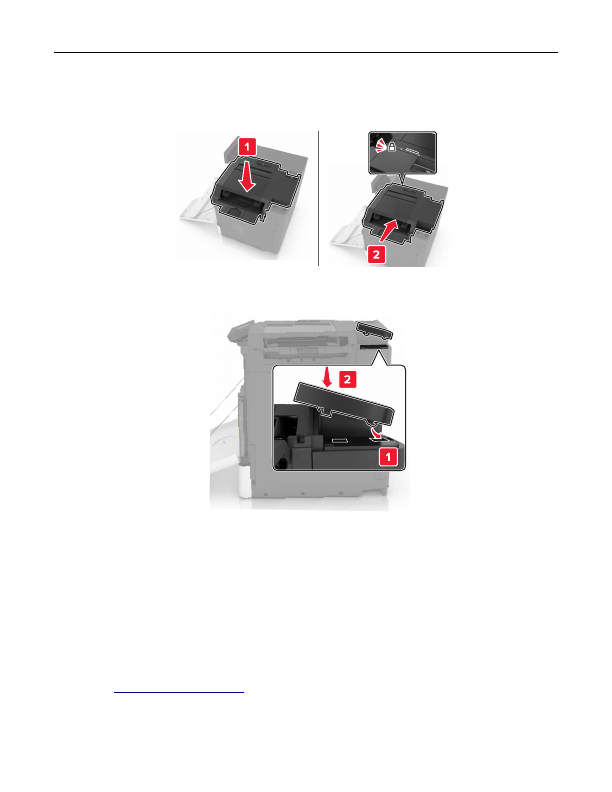
Unpack the staple finisher, and then remove the packing material.
6
Insert the staple finisher until it
clicks
into place.
7
Insert the staple finisher cover.
8
Close door A.
9
Turn on the printer.
Software
Installing the printer software
1
Obtain a copy of the software installer package.
•
From the software CD that came with your printer.
•
Go to
, and then select your printer and operating system.
2
Run the installer, and then follow the instructions on the computer screen.
Upgrading and migrating
132
Detailed Information for Lexmark C6160 Owners Manual
Lists of information found in Lexmark C6160 Owners Manual - Page 132
- From the software CD that came with your printer.
- Go to http://support.
Related Documents for Lexmark C6160 Owners Manual
 All trademarks are property of their respective owners. Tightrope
Interactive
All trademarks are property of their respective owners. Tightrope
Interactive