
Installing the staple finisher; Installing the staple finisher- Page 131
Lexmark C6160 Owners Manual
•
Printer
•
Staple finisher
Installing the staple finisher
1
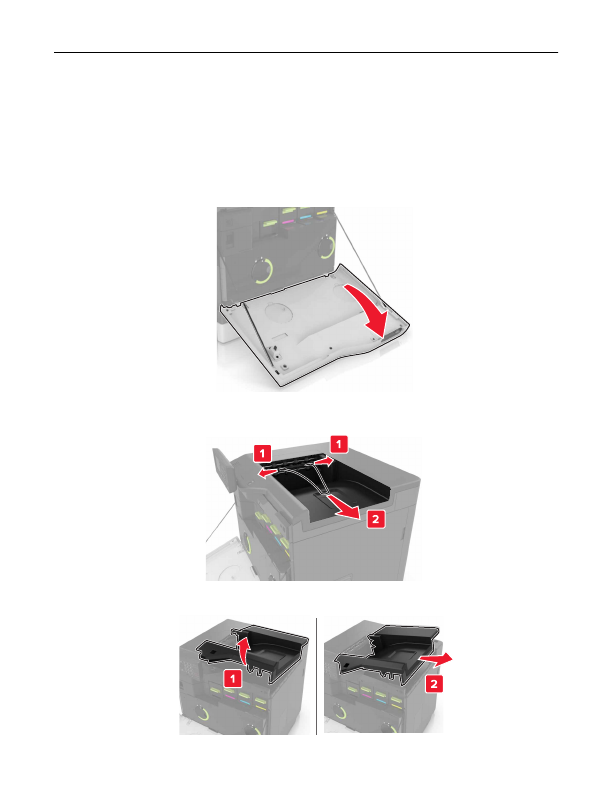
Turn off the printer.
2
Open door A.
3
Remove the paper bail.
4
Remove the standard bin insert.
Upgrading and migrating
131
Detailed Information for Lexmark C6160 Owners Manual
Lists of information found in Lexmark C6160 Owners Manual - Page 131
- Printer • Staple finisher Installing the staple finisher 1 Turn off the printer.
Related Documents for Lexmark C6160 Owners Manual
 All trademarks are property of their respective owners. Tightrope
Interactive
All trademarks are property of their respective owners. Tightrope
Interactive