
Selecting a location for the printer; Note: ; What are you looking for?- Page 9
Lexmark C6160 Owners Manual
What are you looking for?
Find it here
The latest supplemental information, updates, and customer
support:
•
Documentation
•
Driver downloads
•
Live chat support
•
E
‑
mail support
•
Voice support
Note:
Select your country or region, and then
select your product to view the appropriate
support site.
Support contact information for your country or
region can be found on the website or on the
printed warranty that came with the printer.
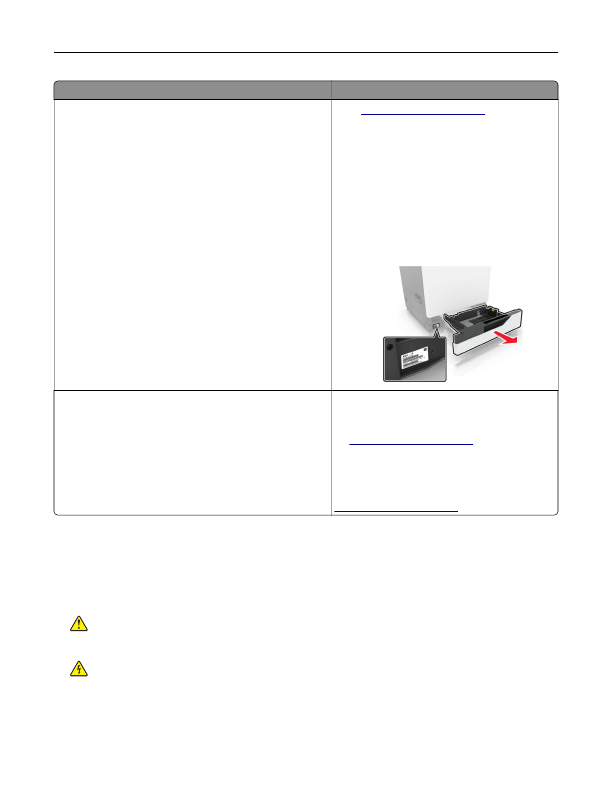
Have the following information ready when you
contact customer support:
•
Place and date of purchase
•
Machine type and serial number
•
Safety information
•
Regulatory information
•
Warranty information
•
Environmental information
Warranty information varies by country or region:
•
In the U.S.
—See the Statement of Limited
Warranty included with the printer, or go to
.
•
In other countries and regions
—See the
printed warranty that came with the printer.
Product Information Guide
—See the
documentation that came with the printer or go to
Selecting a location for the printer
When selecting a location for the printer, leave enough room to open trays, covers, and doors and to install
hardware options.
•
Set up the printer near an electrical outlet.
CAUTION—POTENTIAL INJURY:
To avoid the risk of fire or electrical shock, connect the power cord
to an appropriately rated and properly grounded electrical outlet that is near the product and easily
accessible.
CAUTION—SHOCK HAZARD:
To avoid the risk of electrical shock, do not place or use this product
near water or wet locations.
•
Make sure that airflow in the room meets the latest revision of the ASHRAE 62 standard or the CEN Technical
Committee 156 standard.
•
Provide a flat, sturdy, and stable surface.
Learning about the printer
9
Detailed Information for Lexmark C6160 Owners Manual
Lists of information found in Lexmark C6160 Owners Manual - Page 9
- Documentation • Driver downloads • Live chat support • E ‑ mail support • Voice support Go to http://support.
- Place and date of purchase • Machine type and serial number • Safety information • Regulatory information • Warranty information • Environmental information Warranty information varies by country or region: • In the U.
- In other countries and regions —See the printed warranty that came with the printer.
- Set up the printer near an electrical outlet.
- Make sure that airflow in the room meets the latest revision of the ASHRAE 62 standard or the CEN Technical Committee 156 standard.
- Provide a flat, sturdy, and stable surface.
FAQ (Frequently Asked Questions) for Lexmark C6160 Owners Manual - Page 9
- What are you looking for?
Related Documents for Lexmark C6160 Owners Manual
 All trademarks are property of their respective owners. Tightrope
Interactive
All trademarks are property of their respective owners. Tightrope
Interactive