
Navigating the screen using gestures; Using the keyboard on the display; Note: - Page 22
Lexmark C6160 Owners Manual
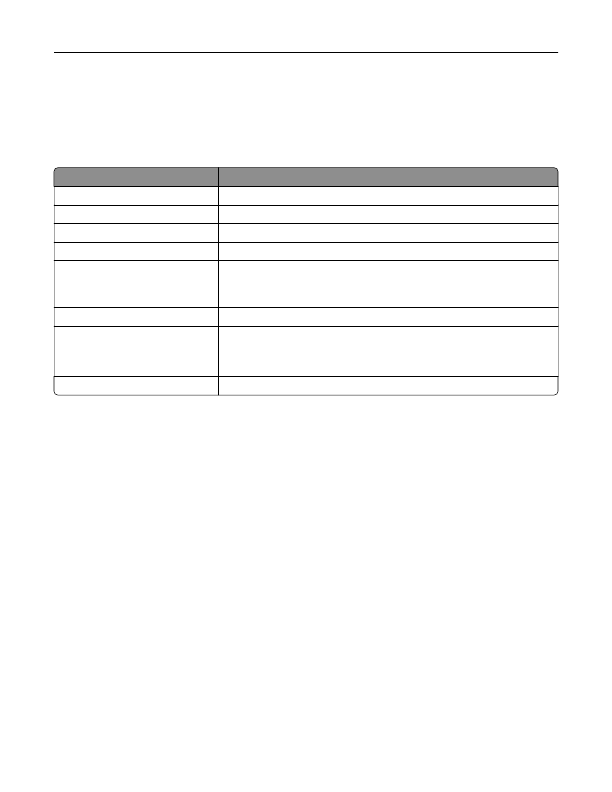
Navigating the screen using gestures
Notes:
•
The gestures are applicable only when Voice Guidance is activated.
•
A physical keyboard is required for typing characters and adjusting certain settings.
Gesture
Function
Double
‑
tap
Select an option or item on the screen.
Triple
‑
tap
Zoom in or zoom out text and images.
Swipe right or swipe down
Move to the next item on the screen.
Swipe left or swipe up
Move to the previous item on the screen.
Pan
Access parts of the zoomed image that are beyond the limits of the screen.
Note:
This gesture requires the use of two fingers to drag across a zoomed
image.
Swipe up then left
Exit an application and return to the home screen.
Swipe down then left
•
Cancel a job.
•
Go back to the previous setting.
•
Exit the screen that appears without changing any setting or value.
Swipe up then down
Repeat a spoken prompt.
Using the keyboard on the display
Do one or more of the following:
•
Drag a finger over the key to announce the character.
•
Lift the finger to enter or type the character in the field.
•
Press
Backspace
to delete characters.
•
To hear the content in the input field, press
Tab
, and then press
Shift + Tab
.
Setting up and using the accessibility features
22
Detailed Information for Lexmark C6160 Owners Manual
Lists of information found in Lexmark C6160 Owners Manual - Page 22
- The gestures are applicable only when Voice Guidance is activated.
- A physical keyboard is required for typing characters and adjusting certain settings.
- Cancel a job.
- Go back to the previous setting.
- Exit the screen that appears without changing any setting or value.
- Drag a finger over the key to announce the character.
- Lift the finger to enter or type the character in the field.
- Press Backspace to delete characters.
- To hear the content in the input field, press Tab , and then press Shift + Tab .
Related Documents for Lexmark C6160 Owners Manual
 All trademarks are property of their respective owners. Tightrope
Interactive
All trademarks are property of their respective owners. Tightrope
Interactive