
Replacing a photoconductor unit; CAUTION—HOT SURFACE: - Page 45
Lexmark C6160 Owners Manual
6
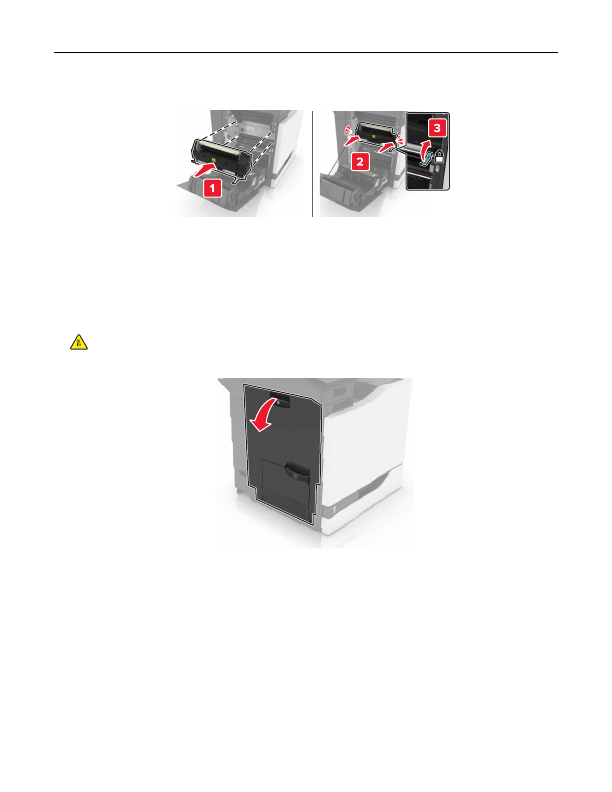
Insert the new fuser until it
clicks
into place.
7
Close door B.
8
Turn on the printer.
Replacing a photoconductor unit
1
Open door B.
CAUTION—HOT SURFACE:
The inside of the printer might be hot. To reduce the risk of injury from a
hot component, allow the surface to cool before touching it.
Maintaining the printer
45
Detailed Information for Lexmark C6160 Owners Manual
Related Documents for Lexmark C6160 Owners Manual
 All trademarks are property of their respective owners. Tightrope
Interactive
All trademarks are property of their respective owners. Tightrope
Interactive