
Loading the multipurpose feeder- Page 25
Lexmark C6160 Owners Manual
5
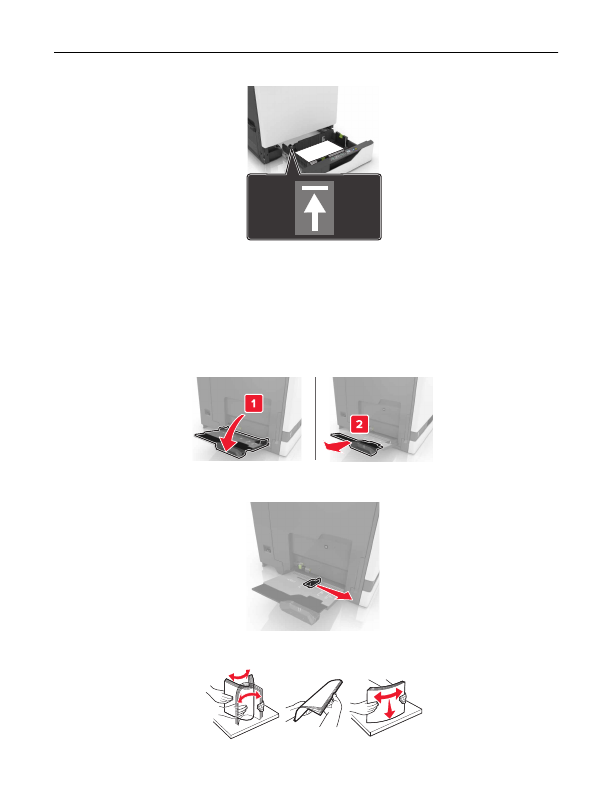
Insert the tray.
If loading a paper type other than plain, set the paper size and paper type in the Paper menu to match the
paper loaded.
Loading the multipurpose feeder
1
Open the multipurpose feeder.
2
Adjust the guide to match the size of the paper you are loading.
3
Flex, fan, and align the paper edges before loading.
Loading paper and specialty media
25
Detailed Information for Lexmark C6160 Owners Manual
Related Documents for Lexmark C6160 Owners Manual
 All trademarks are property of their respective owners. Tightrope
Interactive
All trademarks are property of their respective owners. Tightrope
Interactive