
Using the control panel- Page 12
Lexmark C6160 Owners Manual
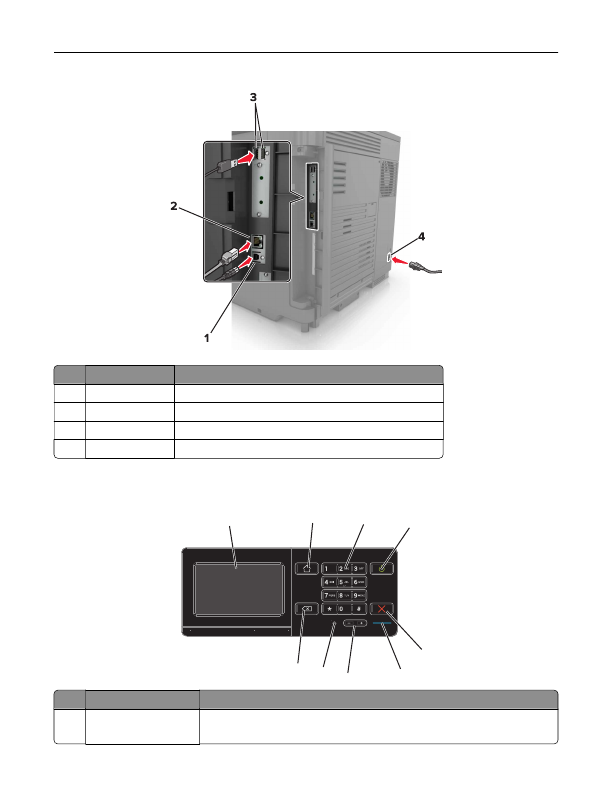
Use the
To
1
USB printer port
Connect the printer to a computer.
2
Ethernet port
Connect the printer to an Ethernet network.
3
USB ports
Attach a keyboard or any compatible options.
4
Power cord socket Connect the printer to a properly grounded electrical outlet.
Using the control panel
1
2
3
4
5
6
7
8
9
Use the
To
1
Display
•
View the printer messages and supply status.
•
Set up and operate the printer.
Learning about the printer
12
Detailed Information for Lexmark C6160 Owners Manual
Lists of information found in Lexmark C6160 Owners Manual - Page 12
- View the printer messages and supply status.
- Set up and operate the printer.
Related Documents for Lexmark C6160 Owners Manual
 All trademarks are property of their respective owners. Tightrope
Interactive
All trademarks are property of their respective owners. Tightrope
Interactive