
Paper jam in trays; Note: - Page 73
Lexmark C6160 Owners Manual
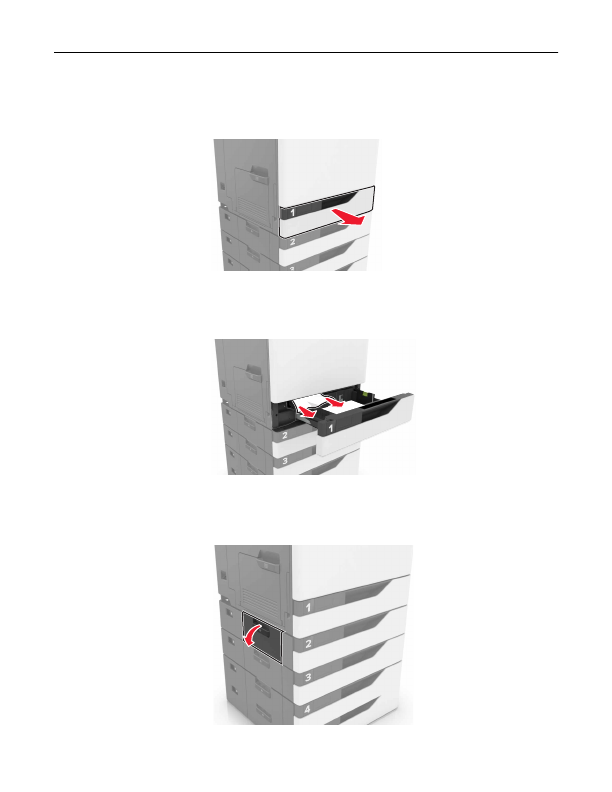
Paper jam in trays
1
Pull out the tray.
2
Remove the jammed paper.
Note:
Make sure that all paper fragments are removed.
3
Insert the tray.
4
Open the tray cover.
Clearing jams
73
Detailed Information for Lexmark C6160 Owners Manual
Related Documents for Lexmark C6160 Owners Manual
 All trademarks are property of their respective owners. Tightrope
Interactive
All trademarks are property of their respective owners. Tightrope
Interactive