
Note: ; Warning—Potential Damage: - Page 24
Lexmark C6160 Owners Manual
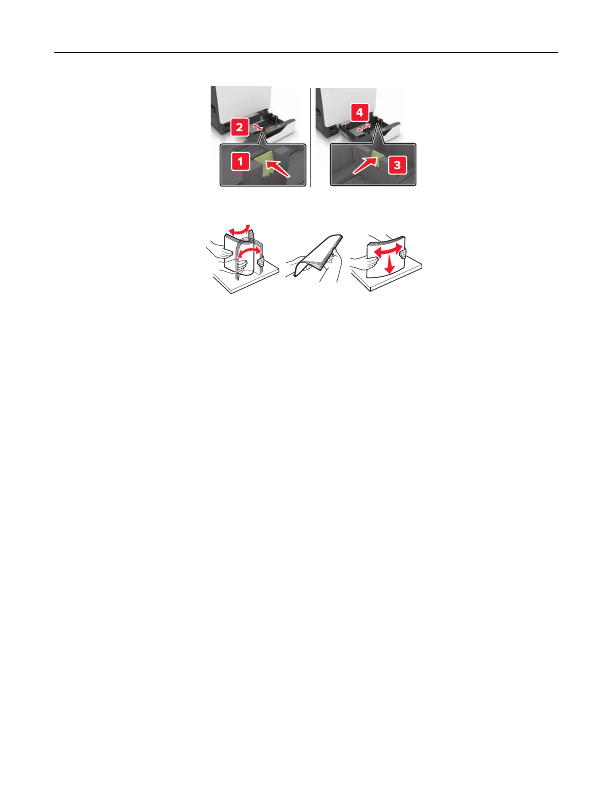
3
Flex, fan, and align the paper edges before loading.
4
Load the paper with the printable side faceup.
Note:
Load envelopes only in the optional envelope tray.
Warning—Potential Damage:
Do not use envelopes with stamps, clasps, snaps, windows, coated linings,
or self
‑
stick adhesives in the optional envelope tray.
Notes:
•
Load letterhead faceup with the header on the left side of the tray for one
‑
sided printing.
•
Load letterhead facedown with the header on the right side of the tray for two
‑
sided printing.
•
Load letterhead faceup with the header on the right side of the tray for one
‑
sided print jobs that
require finishing.
•
Load letterhead facedown with the header on the left side of the tray for two
‑
sided print jobs that
require finishing.
•
Load pre
‑
punched paper with the holes toward the front or left side of the tray.
•
Load envelopes with the flap side down and against the back side of the tray. Load European
envelopes with the flap side down and against the left side of the tray.
•
Do not slide paper into the tray.
•
Make sure that the stack height is below the maximum paper fill indicator. Overfilling may cause
paper jams.
Loading paper and specialty media
24
Detailed Information for Lexmark C6160 Owners Manual
Lists of information found in Lexmark C6160 Owners Manual - Page 24
- Load letterhead faceup with the header on the left side of the tray for one ‑ sided printing.
- Load letterhead facedown with the header on the right side of the tray for two ‑ sided printing.
- Load letterhead faceup with the header on the right side of the tray for one ‑ sided print jobs that require finishing.
- Load letterhead facedown with the header on the left side of the tray for two ‑ sided print jobs that require finishing.
- Load pre ‑ punched paper with the holes toward the front or left side of the tray.
- Load envelopes with the flap side down and against the back side of the tray.
- Do not slide paper into the tray.
- Make sure that the stack height is below the maximum paper fill indicator.
Related Documents for Lexmark C6160 Owners Manual
 All trademarks are property of their respective owners. Tightrope
Interactive
All trademarks are property of their respective owners. Tightrope
Interactive