
Replacing the pick roller in the 2200- Page 61
Lexmark C6160 Owners Manual
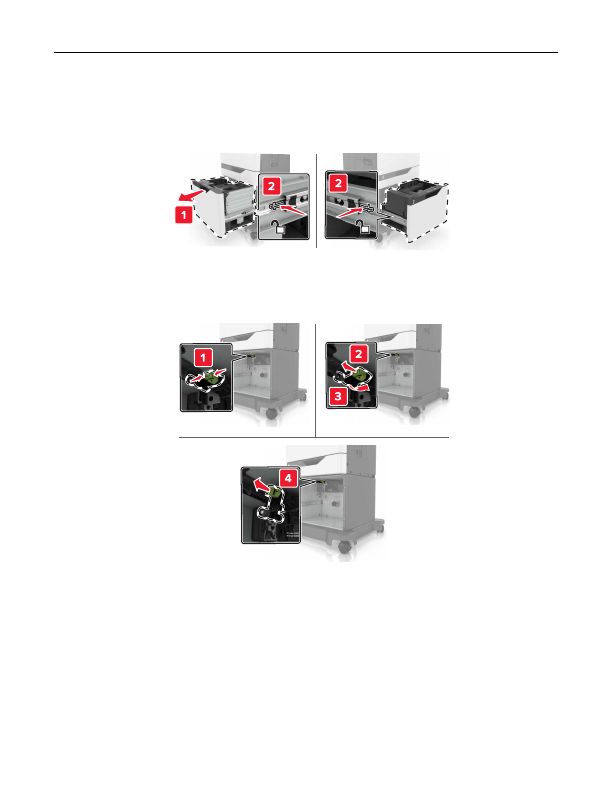
Replacing the pick roller in the 2200
‑
sheet tray
1
Turn off the printer.
2
Pull out, and then unlock the tray.
3
Remove the tray.
4
Remove the pick roller.
5
Unpack the new pick roller.
Maintaining the printer
61
Detailed Information for Lexmark C6160 Owners Manual
Related Documents for Lexmark C6160 Owners Manual
 All trademarks are property of their respective owners. Tightrope
Interactive
All trademarks are property of their respective owners. Tightrope
Interactive